
Thursday, 8:40 a.m. The 9:00 all-hands deck still has a gray box on slide 1 labeled INSERT HERO. You open Imagine, type “make a professional cover,” and forty seconds later you have a cream slide, a stock-looking laptop, and the word Analytcs in 72-point serif. You squint at the 12% thumbnail in Google Slides, call it close enough, and drop the PNG in. Fourteen people join the call. Six laughing-face reactions land in Slack by 9:11. Nobody is laughing at the forecast. They are laughing at the title.
You used a picture studio like a magic button. A studio needs a brief. This is the Imagine stretch of the Grok series on Analytics Made Simple. Chat, Grok Build, and the API are other doors. Imagine is the door you open when the artifact is a still (and later a short clip). We are an educational site. We are not an xAI partner. Public branding names move, so re-check official docs the week you roll this out.
Why Imagine is a studio, not a second
- Why Imagine is a studio, not a second chat window
- A brief that names subject, setting, style, and text-if-any
- What Quality Mode and Imagine Image 2.0 mean as of Aug 7, 2026
- Why on-image text is the part you inspect first
- A toy event-poster brief you can copy, generate, and reject or keep
Studio vs chat
Grok chat (on grok.com, the iOS and Android apps, or Grok inside X) is for writing, questions, and multimodal talk. You can attach a screenshot and ask “what is this chart saying.” That is still chat. Imagine is the picture and short-video studio at grok.com/imagine, also in the apps. The job is a file you can put on a slide, a listing, or a social frame. If you stay in the chat composer and hope a pretty card appears, you will get the Analytcs problem again: a vibe, not an asset.
Three other doors sit nearby. Grok Build is a folder agent for code. The xAI Console and API are for apps and scripts, billed in tokens or per-image fees, not as a chat subscription. Chat money and API credits are separate systems. Do not assume SuperGrok (or whatever the live plan is named this week) pays for unlimited Imagine API calls. If you are wiring generation into a tool, the image model id as of writing is grok-imagine-image-2.0. If you are a person who needs one poster before lunch, stay on grok.com/imagine and skip the Console.
Open the studio on purpose. Full screen. No Slack thread pasted above the prompt as “context.” The model will try to draw whatever you typed, including your typos and your hedges. “Make it pop” is not a subject. “Maybe a city vibe” is not a setting. Write the brief in a note first if you tend to type while anxious.
Rule of thumb: If you cannot name the subject in six words, you are not ready to generate.
A brief that works
A usable Imagine brief has four fields. Skip one and the model will invent it. Invention is how you get extra laptops, fake brand marks, and a serif title nobody asked for.
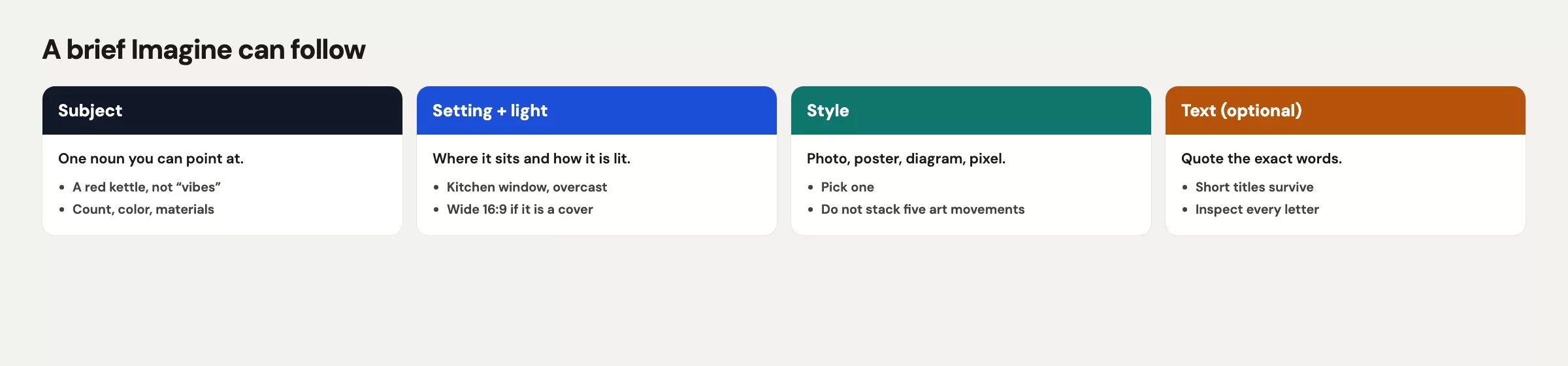
Subject is the noun you would point at with a finger. A round table, a laptop, a printed SQL sheet, a plain mug. Not “professional energy.” If a product is in the shot, say the color in hex or in plain paint words you can check later: teal #0F766E, cream wall, black laptop, no logo on the lid.
Setting is place plus light plus time of day. Small conference room, late afternoon window, one plant, cream wall. “Office” is too wide. The model will fill a wide word with a stock glass tower and a skyline that belongs to no city you work in.
Style is the medium. Documentary photo. Flat vector poster. Marker on paper. Pick one. Mixing “cinematic, editorial, 3D render, watercolor, infographic” in one line gives you a collage of five other people’s Pinterest boards. Also say what to refuse: no fake logos, no celebrity faces, no photoreal staff, no extra hands.
Text-if-any is the field people skip, then regret. If the image must carry words, write the exact string, the spelling, the case, and where it sits (top band, bottom band, none). If the words belong in the slide template instead, say no on-image text in the brief. A blank instruction is not the same as a no-text instruction. Blank means the model may add a title because posters often have titles.
Add aspect ratio in the same note. A 16:9 still for a deck cover is a different crop than a 1:1 listing tile. You can smart-resize later (next part in this series). You still save a pass if the first generate already matches the hole in the slide.
| Brief field | Toy example (Dock 4 lunch and learn) |
|---|---|
| Subject | Round wood table, open laptop, printed SQL page, plain cream mug, no brand marks |
| Setting | Small conference room, late afternoon window light, cream wall, one plant, empty chairs |
| Style | Documentary photo, natural color, not illustration, not 3D, not a slide template |
| On-image text | None. Title lives in the deck. |
| If text is required | Exact lines: DOCK 4 LUNCH AND LEARN / Thu 4:00 p.m. / Room 2B |
| Ratio | 16:9 for slide 1, or 4:5 if this is a feed still |
| Refuse | Fake logos, photoreal staff, extra fingers, misspelled type, city skyline |
Write those rows in a note. Then paste them as one prompt. Do not paste a Slack argument, a brand manifesto, and a joke. Extra prose dilutes the nouns. If you need a reference look, you will attach images in the edits post. From zero, words are enough if they are specific.
Quality Mode and Image 2.0
As of Aug 7, 2026, xAI’s Quality Mode on grok.com/imagine (and the iOS and Android Grok apps) is Imagine Image 2.0. The same family is on the API as grok-imagine-image-2.0. Vendor copy says 2.0 follows instructions more tightly, plans type and layout with more care, and holds what you put in across generations and edits. Treat that as a vendor claim, then inspect the file. Faster or cheaper modes may still exist in the apps. Names move. If you are making a deck cover or a listing photo, pick Quality Mode and pay the wait. If you are doodling a metaphor for a private brainstorm, a faster mode is fine. Re-check the live control the week you ship, because the label on the toggle is not a contract.
Image 2.0 also adds edit tools you will use in the next part: region or magic wand, segmentation, background removal, multi-ref, and smart resize. You do not need those on the first generate. You need a brief and an inspect pass. Generating in a hurry in a cheap mode, then blaming the model for Analytcs, is a workflow miss. Slow down for anything that will be seen by more than you.
On-image text is the hard part
Models have gotten better at letters. They still lie with confidence. Tiny misspelled type is the most common public fail, and it is the one your audience can screenshot. Extra fingers are second. “Close enough” logos are third. Photoreal people you did not hire are a rights problem (the last Imagine part in this series). For this post, your inspect job is spelling, count of limbs, and invented marks.
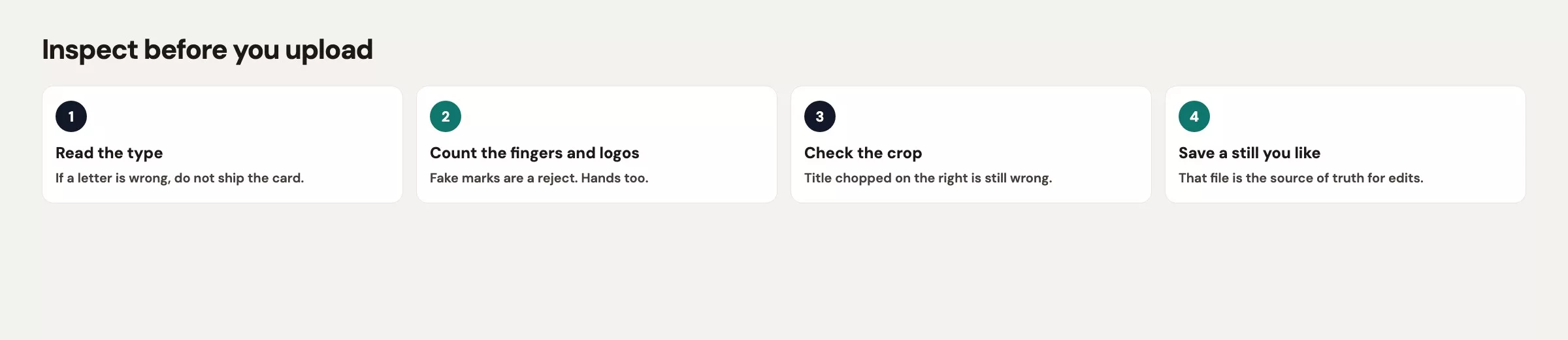
Open the image at 100%. Not the slide thumbnail. Not the phone lock screen. Read every letter out loud. If the brief said DOCK 4 and the file says DOK 4, the file is wrong. Do not “fix it in the caption.” People screenshot the picture. If you see a logo-shaped blob on the laptop lid, kill the file or edit the lid. You do not get to invent a partner mark because the plastic looked empty.
Count hands. Count mugs. Count chairs. Models duplicate props when the scene is busy. One extra hand on the table is enough to make the room look like a parlor trick. If the subject was “one mug, no logo,” and you now have two mugs and a faint mermaid, start over or region-edit. Do not argue that viewers will not notice. They notice.
Prefer no on-image text for deck covers. Put the real title in the slide. The picture carries the metaphor (table, light, tools). The type stays crisp because you typed it in Google Slides or Keynote. If the job is a poster that must live as one PNG in a hallway, then you accept the inspect burden and you write the strings in the brief with brutal exactness. All caps for three short lines beats a paragraph of fine print.
Common type fails to hunt, even in Quality Mode:
- Missing or extra letters (
Analytcs,Thurssday,Rm 2B8) - Lookalike glyphs that pass a glance (rn vs m, cl vs d)
- A second title in the scene, smaller, that you did not ask for
- A fake badge in the corner that looks like a conference sponsor
- Warped baselines, as if the type were printed on a waving flag
Worked brief: a toy event poster
You need a 16:9 still for the Dock 4 lunch-and-learn next Thursday. Room 2B. Four o’clock. The slide already has a title in the template. You only need a photo that says “we sit at a table and look at SQL,” without photographing coworkers and without inventing a vendor logo. This is a toy. Do not present it as a real AMS event.
Paste a brief like this. Keep it in a note so you can reuse the nouns on the next generate instead of wandering.
Documentary photo, 16:9.
Subject: a round light-wood table in a small conference room with one open laptop (black, lid logo-free), one printed page of SQL, and one plain cream ceramic mug. No people. No extra hands. No brand marks.
Setting: late afternoon window light from the left, cream wall, one green plant in the corner, two empty chairs, quiet office, no skyline through the glass.
Style: real camera, natural color, slight grain OK, not illustration, not 3D render, not a PowerPoint template, not a neon infographic.
On-image text: none. Do not add a title, date, URL, or badge.
Refuse: photoreal staff, celebrity faces, fake logos, misspelled letters, extra fingers, city skyline, stock “teamwork” poses.
What you should see after a clean generate (toy, not a promise the model always hits this):
| Check | Pass | Fail (do not ship) |
|---|---|---|
| Subject count | One table, one laptop, one mug, one printout | Two laptops, a second mug, a mystery notebook |
| Type | None on the photo | Analytcs, LUNCH & LERN, a URL blob |
| Marks | Blank laptop lid, blank mug | Invented apple-ish mark, mermaid, “SONY” |
| People | Empty chairs | A photoreal coworker you did not consent |
| Hands | None, or none extra | A hand with six fingers on the table edge |
| Ratio | 16:9 fills the slide hole | Square image stretched on slide 1 |
If you must put type on the PNG (hallway print, no slide chrome), change only the text field. Keep every other noun. Short lines. Exact spelling. Then inspect at 100% and read aloud.
On-image text, large sans-serif, high contrast, top band only, exact three lines:
DOCK 4 LUNCH AND LEARN
Thu 4:00 p.m.
Room 2B
No other words. No hashtags. No fake sponsor row.
Generate once. Inspect. If the type is wrong, do not type “make it more professional” and roll the dice on a new room. That is how the mug color drifts and the plant becomes a fern from a different building. Park the file. The next post is edits that stick: change one thing per pass. If the whole scene is junk (wrong room, fake logo wall, six chairs), kill it and generate from the same brief again. Same brief. New roll. Do not “improve” the brief with five new adjectives while you are angry.
Save the PNG with a boring name: dock4-lunch-16x9-v1.png. Put v1 in the filename even if you feel lucky. Slide 1 should not be a file called hero_ship.png five minutes after the first generate.
Pick one real hole in your week
| Mistake | What happens | Do this instead |
|---|---|---|
| Prompt is “professional cover” | Cream slide, misspelled title, mystery laptop | Four-field brief plus refuse list |
| Inspect at thumbnail size | Analytcs ships to 14 people | 100% zoom, read letters aloud |
| Type on the photo “for polish” | Warped fine print, fake badges | Title in the slide; or three short exact lines |
| Chat window instead of Imagine | A description of a cover, or a weak embed | Open grok.com/imagine |
| Assume chat plan = API wallet | Surprise bills or throttles | Studio for humans; Console only if you build |
| Photoreal staff “for realism” | Likeness and consent mess | Empty chairs, or people who agreed in writing |
| Close-enough logos | You implied a partner you do not have | Blank lid, or a real official mark you may use |
Open the Imagine studio, not a chat thread
Pick one real hole in your week: a deck cover, a lunch-and-learn tile, a listing photo. Write the four fields in a note. Open grok.com/imagine. Use Quality Mode (Image 2.0 as of Aug 7, 2026) if the file will be seen. Generate once. Inspect at 100%. Keep, kill, or park for edits. Do not send a misspelled PNG into a 9:00 meeting because the thumbnail looked “fine.”
Previous part in this series was Grok Build review, rollback, and safety rails (git is the undo over there). Next: Grok Imagine edits and iterations (region edits, refs, background, resize, a three-pass budget). Both live on the Grok series hub. Broader AI paths: Learn and Practical AI. Privacy habits from earlier in this series still apply: Grok, privacy, and work caution.
Open the Imagine studio, not a chat thread, (zero)
- Open the Imagine studio, not a chat thread, when you need a still.
- Write subject, setting, style, and text-if-any before you generate.
- Quality Mode is Imagine Image 2.0 as of Aug 7, 2026. API id
grok-imagine-image-2.0. Re-check labels. - Prefer no on-image text. If you must have type, write exact short lines and inspect at 100%.
- Hunt extra fingers and fake logos. Empty chairs beat photoreal coworkers you did not ask.
- Same brief, new roll if the scene is junk. One-thing edits wait for the next part.
Sources
Research and further reading used for this article:
- Grok Imagine (consumer studio for images and short video)
- xAI: Imagine Image 2.0 (Aug 7, 2026 Quality Mode launch, consumer and API)
- xAI docs: Imagine overview (image generation, edits, video family, model ids)
- Grok (chat apps: writing and questions, not the studio)
- xAI API (Console and API are a separate wallet from chat plans)
- Analytics Made Simple: Grok series (hub for chat, Build, Imagine, and the API map)
- Analytics Made Simple: Learn (other tutorial paths on this site)
Keep going
Same lessons in your feed
Short diagrams, hooks, and weekly tutorials on Substack, Instagram, X, and Facebook.
Merch on Etsy
Open store → You're On Mute White Ceramic Coffee Mug, Data Science Mug, Data Mug, Analytics Mug, Statistics Mug, Programming Mug, Gift Mug, Coffee Mug
View on Etsy →
You're On Mute White Ceramic Coffee Mug, Data Science Mug, Data Mug, Analytics Mug, Statistics Mug, Programming Mug, Gift Mug, Coffee Mug
View on Etsy →
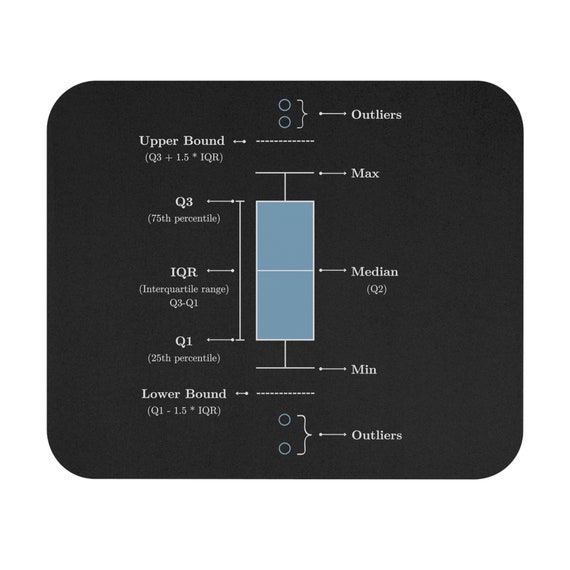 Boxplot Mouse Pad, Data Science Mouse Pad, Analytics Mouse Pad, Box Plot, Whisker Plot
View on Etsy →
Boxplot Mouse Pad, Data Science Mouse Pad, Analytics Mouse Pad, Box Plot, Whisker Plot
View on Etsy →
 You're On Mute White Ceramic Coffee Mug, Data Science Mug, Data Mug, Analytics Mug, Statistics Mug, Programming Mug, Gift Mug, Coffee Mug
View on Etsy →
You're On Mute White Ceramic Coffee Mug, Data Science Mug, Data Mug, Analytics Mug, Statistics Mug, Programming Mug, Gift Mug, Coffee Mug
View on Etsy →
 Good Cheap Fast White Ceramic Coffee Mug, Data Science Mug, Data Mug, Analytics Mug, Statistics Mug, Programming Mug, Gift Mug, Coffee Mug
View on Etsy →
Good Cheap Fast White Ceramic Coffee Mug, Data Science Mug, Data Mug, Analytics Mug, Statistics Mug, Programming Mug, Gift Mug, Coffee Mug
View on Etsy →