
To start learning SQL, the standard language for asking a database for data, install one free program called SQLite, load a few small practice tables, and ask your first question in under an hour. Skip the cloud accounts for now. Say you decide to learn SQL tonight and open twelve install guides, each assuming a different computer and a different cloud account. You end the evening with three half-broken apps and zero answers from a database.
This is the hands-on setup guide for our SQL series on Analytics Made Simple. The goal is boring on purpose: get a practice database running on your own computer, learn how to pick a bigger one later, load the same small set of practice tables we use everywhere, and ask a first question with SELECT, the command that reads data, so your hands learn the loop. If you skipped the intro, the overview is in the series hub at SQL series.
What you will learn
- Why SQLite is the best first playground for most learners.
- A simple path: install or use a client, open a database file, run SQL.
- How to choose among SQLite, PostgreSQL, MySQL, SQL Server (Microsoft’s database, which runs on a server, a computer that stays on to answer requests), and warehouses later.
- How our
customersandorderspractice tables fit together. CREATE TABLEstatements you can type or paste.- Your first queries:
SELECT 1, then real rows from the toy schema (the layout of tables and columns). - Safety and hygiene so practice never confuses production.
The only setup rule that matters
Optimize for time-to-first-successful-query. Not for the “correct enterprise stack.” Not for the tool your coworker brags about. Once you can run a statement and see a result grid, every later part of this series becomes practice instead of theory.
That means we start with SQLite: a full SQL engine that lives in a single file (or even in memory). You do not have an external server process to babysit, scheduled password rotations to manage, or a surprise cloud bill for typing SELECT 1. When your workplace hands you PostgreSQL credentials next month, the SELECT statement you write today still transfers.
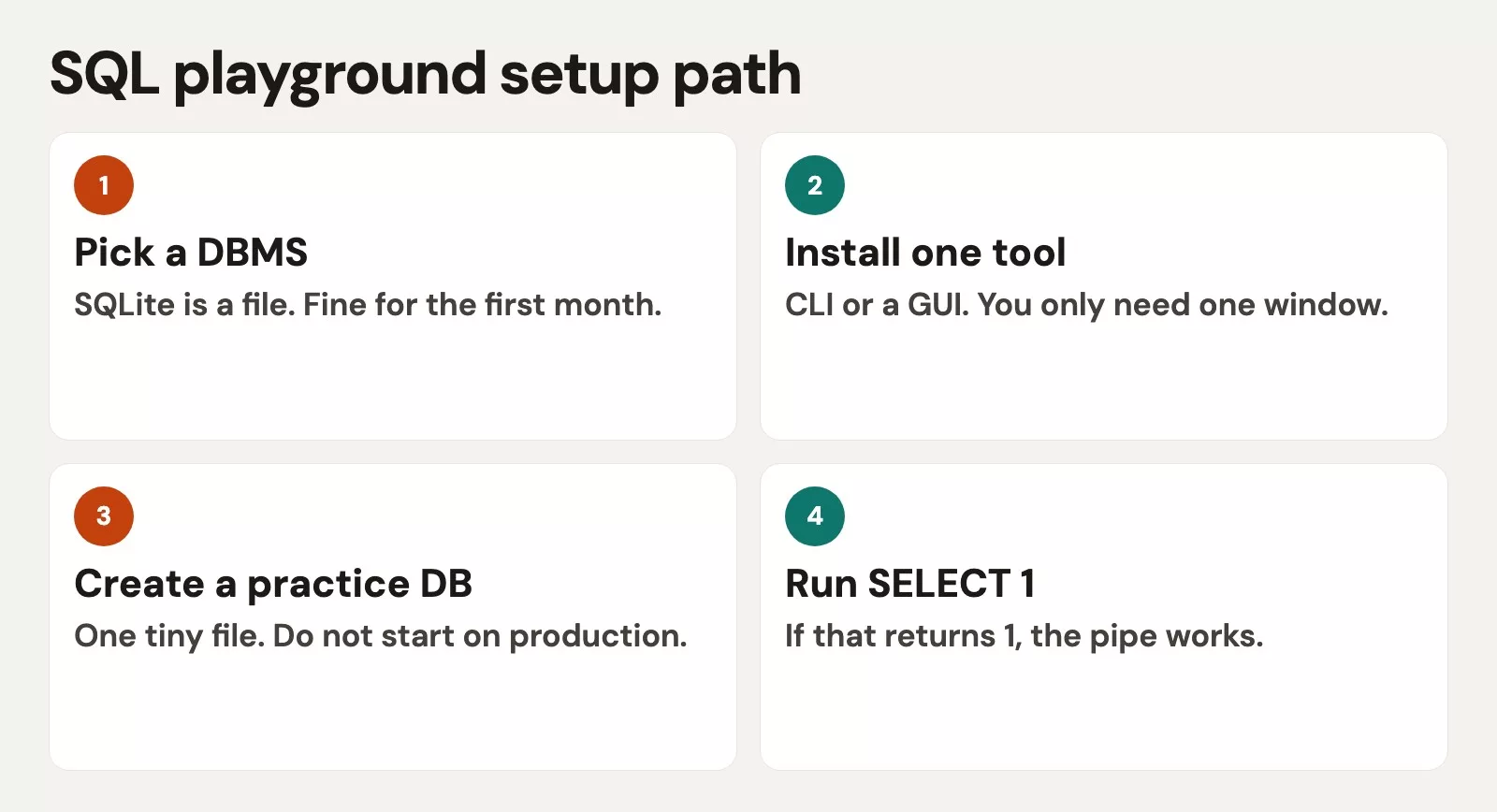
Option A: SQLite on your machine (recommended first)
What you need
- A way to run the
sqlite3command line (the text window where you type commands), or. - A friendly point-and-click app that works with SQLite, such as DB Browser for SQLite, DBeaver, or an add-on for Visual Studio (VS) Code, Microsoft’s free code editor.
macOS often ships with sqlite3 already. On Windows and Linux, install from your package manager or from the official SQLite site. Desktop graphical user interfaces are completely fine for everyday practice. The important part is that you can open a .db or .sqlite file and paste SQL into an editor pane.
Create a practice database file
From a terminal (the text window where you type commands) in a folder you control (not a random Downloads graveyard):
sqlite3 ams_practice.dbThat opens the SQLite shell attached to a file named ams_practice.db. If the file did not exist, SQLite creates it. Inside the shell you can paste SQL, end statements with a semicolon, and type .quit when done. In a GUI (graphical user interface, windows and buttons instead of typed commands), choose “New database,” save the file somewhere obvious like Documents/sql-practice/ams_practice.db, and open the SQL tab.
Name the file like practice on purpose. Never point a learning client at a production connection string “just to see.”
Smoke test: SELECT 1
Before tables, prove the engine answers you:
SELECT 1 AS alive;You should see a one-row, one-column result. That is not a toy trick. It is the same feedback loop you will use for every harder query: write, run, read the grid, adjust. If this fails, fix install or client connection before you touch CREATE TABLE statements. Fighting schema errors on a broken install is misery.
Option B: browser or notebook playgrounds
If installing anything is blocked (locked-down laptop, shared classroom machine), use a temporary playground:
- Online SQLite sandboxes that store nothing durable.
- Notebook (a document that mixes code, results, and notes) environments that can talk to SQLite files.
- Docker-based Postgres only if you already like Docker (a tool that packages software so it runs the same everywhere) and want extra realism.
Tradeoff: online sandboxes vanish. This single-file approach is ideal for quick learning during a lunch break. Bad as your only long-term notes home. Prefer a local file you can zip and keep when you can.
DBMS chooser: what to use after the playground
A database management system, or DBMS, is the product that stores tables, enforces rules, and runs SQL. SQLite is a DBMS that embeds in a process. In contrast, PostgreSQL operates as a dedicated client-server database management system. Warehouses are DBMS-shaped products tuned for analytics at scale. You do not need to master all of them. You need a chooser so marketing slides do not pick for you.
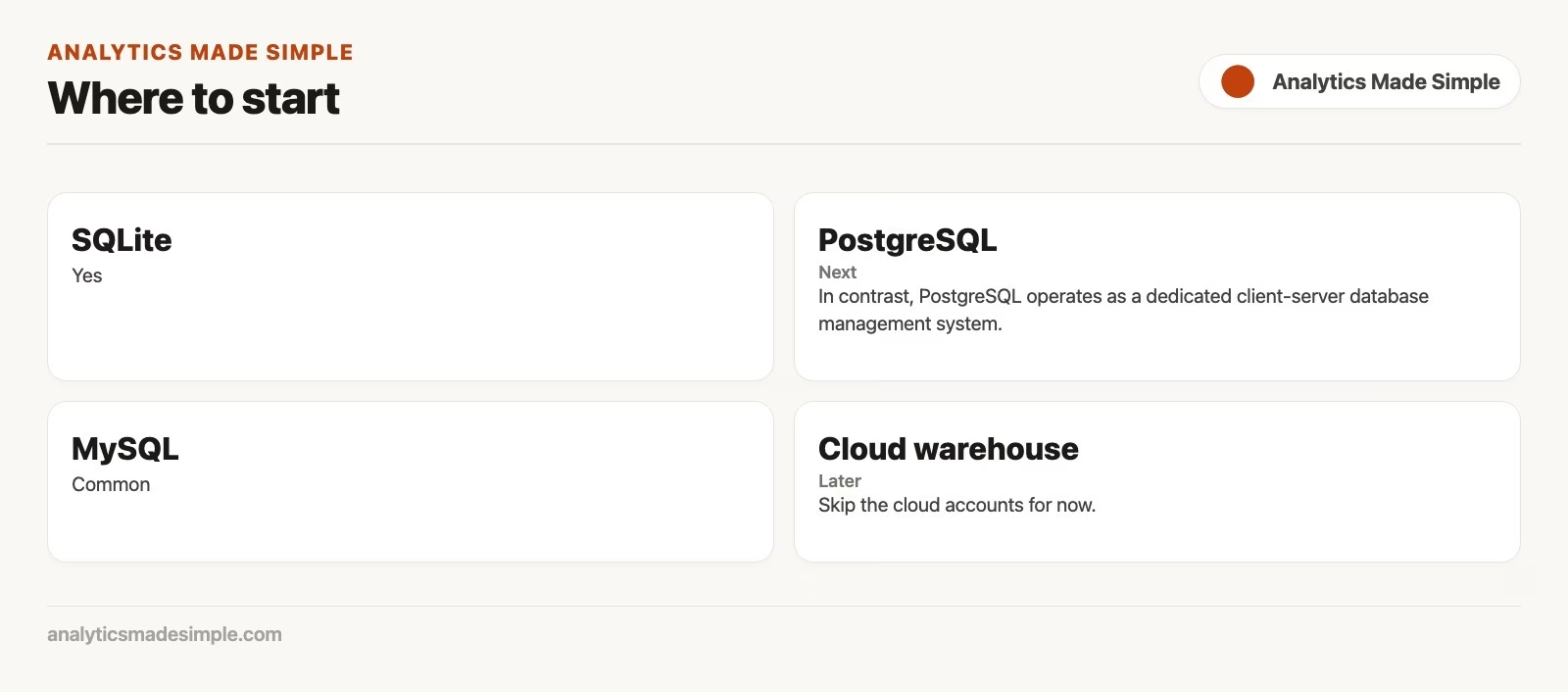
| If you need… | Start with… | Why |
|---|---|---|
| Learning and local demos | SQLite | File-based, free, fast to start |
| App backend with strong SQL | PostgreSQL | Standards-friendly, excellent docs |
| Common web hosting stacks | MySQL / MariaDB | Huge ecosystem, many tutorials |
| Microsoft-heavy company | SQL Server | Matches workplace tooling |
| Company analytics at scale | BigQuery, Snowflake, Redshift, etc. | Warehouse features and governance |
Learning order that works for most analysts: SQLite for mechanics, then whatever your job already runs. Dialect differences show up in date functions, string helpers, and advanced window syntax. Core reading skills (SELECT, WHERE, JOIN, GROUP BY) travel surprisingly well. That is why this series stays close to portable SQL.
When you later connect to a warehouse, treat credentials like house keys. Request read-only permissions for initial exploration, and ask for isolated sandbox schemas when running experiments. Never paste passwords into shared notebooks. The data quality series and workplace policy docs matter as much as the connection screen.
Build the toy schema (mentally, then on disk)
We use the same two tables across the series:
customers(customer_id, name, region, email).orders(order_id, customer_id, order_date, amount, status).
One customer has many orders. The foreign key in the orders table points directly to the primary key (the column that uniquely identifies each row) in the customers table. Keep that picture in your head before you type. Schema diagrams are not decoration; they are how you avoid joining the wrong things.
Create the tables in SQLite:
CREATE TABLE customers (
  customer_id INTEGER PRIMARY KEY,
  name TEXT NOT NULL,
  region TEXT,
  email TEXT
);

CREATE TABLE orders (
  order_id INTEGER PRIMARY KEY,
  customer_id INTEGER NOT NULL,
  order_date TEXT NOT NULL,
  amount REAL NOT NULL,
  status TEXT NOT NULL,
  FOREIGN KEY (customer_id) REFERENCES customers(customer_id)
);
Notes for learners:
- SQLite types are flexible; other engines are stricter. That lightweight workflow (the series of steps you follow) is perfectly fine for hands-on practice.
- We store dates as
TEXTinYYYY-MM-DDform for simple demos. Real systems use proper date types. - Foreign keys in SQLite need foreign key enforcement enabled in some setups. Even if enforcement is loose in a sandbox, write the relationship so your brain keeps it.
Seed a few customers:
INSERT INTO customers (customer_id, name, region, email) VALUES
  (1, 'Amina Cole', 'East', 'amina@example.com'),
  (2, 'Ben Ortiz', 'West', 'ben@example.com'),
  (3, 'Frankie Ng', 'East', NULL),
  (4, 'Dana Cho', 'West', 'dana@example.com'),
  (5, 'Eli Parks', 'Central', 'eli@example.com');
Seed a few orders:
INSERT INTO orders (order_id, customer_id, order_date, amount, status) VALUES
  (101, 1, '2026-01-05', 120.00, 'paid'),
  (102, 1, '2026-01-20', 40.00, 'paid'),
  (103, 2, '2026-01-08', 75.50, 'pending'),
  (104, 3, '2026-01-12', 200.00, 'paid'),
  (105, 3, '2026-01-18', 15.00, 'cancelled'),
  (106, 4, '2026-01-22', 90.00, 'paid'),
  (107, 5, '2026-01-25', 60.00, 'paid'),
  (108, 2, '2026-01-28', 110.00, 'paid');
You now own a tiny business in a file. That is enough data to learn filters, groups, and joins without drowning.
First real query: prove the tables exist
List customers:
SELECT
  customer_id,
  name,
  region,
  email
FROM customers
ORDER BY customer_id;
You should see five people, including customer Frankie Ng with a missing email address. Missing values are not a failure of setup; they are practice material for later NULL lessons.
Example output:
| table | grain | key | links |
|---|---|---|---|
| customers | 1 row per customer | customer_id | root |
| orders | 1 row per order | order_id | customer_id to customers |
Count orders as a second heartbeat check:
SELECT
  COUNT(*) AS order_count
FROM orders;
Expect eight. If you see zero, your inserts did not run or you opened a different file. File path confusion is the number one setup ghost story. Stick to one dedicated practice directory on your machine.
Worked example: one question, end to end
Business question: “Which customers are in the East region?”
Translate: table customers, filter on region, return useful columns, sort for readability.
SELECT
  customer_id,
  name,
  email
FROM customers
WHERE region = 'East'
ORDER BY name;
On the seed data you should get Amina and Frankie Ng. Frankie still appears even with a null email address, which is correct for this question. If marketing wanted only people they can email, that would be a different filter (our upcoming filtering guide).
Second question for confidence: “How many paid orders do we have?”
SELECT
  COUNT(*) AS paid_orders
FROM orders
WHERE status = 'paid';
You are already combining filter and aggregate lightly. Our aggregate functions guide will go deep; here you only need the feeling that SQL answers countable questions without exporting anything.
Client habits that save hours
- Keep a notes file of working queries. Paste from a personal scratchpad, not from random Slack threads with half the
WHEREclause missing. - Always run small exploratory queries before widening your result filters, because a small result shows a wrong join or filter before it costs you minutes of waiting. Start with
LIMIT 20when exploring unfamiliar tables at work. - Separate read and write mental modes. Practice
SELECTqueries all day, but treatINSERT,UPDATE, andDELETEoperations as intentional, especially outside your toy file. - Match case and spelling.
'East'is not'east'unless your engine collation says otherwise. Be consistent in seed data. - Version your practice file if you like:
ams_practice_v1.db. Or keep aseed.sqlscript you can re-run after you break things. Breaking things is completely normal in a practice sandbox, and recovering from mistakes builds genuine query confidence.
What “good enough setup” looks like
You are finished with this playground setup when all of the following are true:
- You can open the same practice database two days in a row without guessing the path.
SELECT 1works in under a minute from a cold start.customersandordersboth return rows.- You have a seed script or notes that recreate the tables if you break them.
- You know whether you are on SQLite now and which engine your workplace uses later.
You are not done when you have installed every popular desktop client, configured cloud billing alerts, or memorized every data type synonym across vendors. Those can wait. Momentum matters more than tool maximalism in week one.
If your company already provides a training schema with read-only access, you may use that instead of SQLite for later parts, as long as you can run SELECT queries safely and you are not practicing UPDATE statements on shared tables. Still keep a local file for destructive practice in our core commands tutorial.
Common mistakes in setup week
- Installing five tools before running one query. Pick SQLite plus one convenient desktop client, and run your very first query today.
- Practicing on live production databases. Even running an exploratory
SELECT *query can stress busy tables or leak sensitive columns onto your laptop. - Creating tables in the wrong database. Desktop client interfaces with multiple connections make this easy. Check the connection label every time.
- Forgetting semicolons in command line interface (CLI) tools that need them, then thinking SQL is broken.
- Mixing dialects early. Copy-pasting SQL Server-only syntax into SQLite causes false “I am bad at this” feelings. Stay portable for our foundational core lessons.
- Skipping the schema picture. If you cannot say what one row means, stop and write it down before joining.
How this playground connects to site tutorials
SQL playgrounds sit next to other skills, not above them. If your source of pain is messy CSVs, the spreadsheets to data series helps you arrive at clean tables. If your next step is notebooks, the Python series shows when to pull SQL results into pandas. Trust issues after the query runs belong in data quality. For a map of learning paths, use Learn.
Practice drills before moving forward
- Delete your database file on purpose, recreate it from your seed script, and re-run
SELECT 1plus a customer list. Recovery confidence beats fragile magic files. - Add one more customer and two more orders using
INSERTstatements. Run aSELECTquery to retrieve them back. You will need that comfort for our core query commands guide. - Write three English questions about your toy shop and name the table each one should hit first.
- If your workplace already has a read-only analytics connection, ask a mentor for one safe sandbox schema name. Do not invent access.
- Review the next lesson theme: learning the core commands and never updating without an explicit
WHEREclause. Show up with a practice file you are willing to break.
Quick recap
- Time-to-first-query beats perfect tooling. SQLite is the default playground.
- Use a practice file, a seed script, and a client you can reopen tomorrow.
- Choose later engines based on workplace reality: Postgres, MySQL, SQL Server, or a warehouse.
- Our series schema is
customersandorderslinked bycustomer_id. SELECT 1proves the engine; simple SELECTs prove your data loaded.- Keep production credentials out of learning mode.
Next: the four core commands, with a loud safety rule for anything that changes data. That is the focus of our next tutorial.
Your next step
Today, install SQLite or open the online playground, load the customers and orders seed script from this post, and run SELECT COUNT(*) FROM orders. Save the file and reopen it tomorrow. If the count comes back the same, your playground works, and every later tutorial in this series will run on it.
Sources
Setup and product documentation used for this part:
- SQLite: Command Line Shell Documentation (create files, run statements, quit cleanly)
- SQLite: Create Table reference (table definitions for practice)
- PostgreSQL tutorial: Getting Started (when you move to a server engine)
- MySQL: Tutorial (alternate common engine path)
- Analytics Made Simple: SQL series
- Analytics Made Simple: Learn
- Analytics Made Simple: Python series
- Analytics Made Simple: Data quality series
- Analytics Made Simple: Spreadsheets to data
Keep going
Same lessons in your feed
Short diagrams, hooks, and weekly tutorials on Substack, Instagram, X, and Facebook.



